3 min read
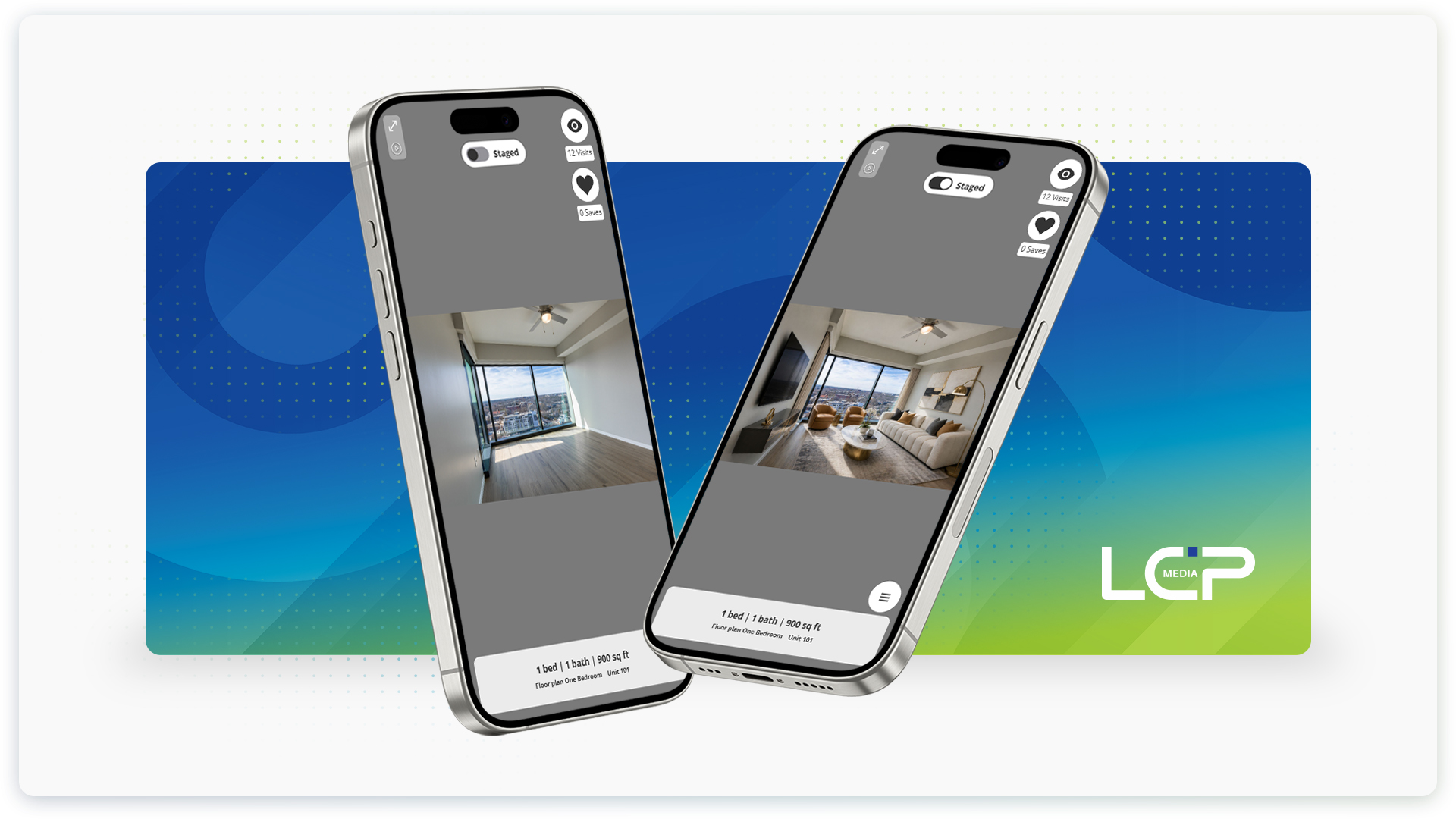
A photo of an empty apartment shows renters the space. Virtual staging helps them see the possibilities. Adding furniture and accessories gives each room a sense of purpose, making it easier for renters to picture how they could make it their own.
Now you can do it right in the TourBuilder app.
AI virtual staging for still photos is included with TourBuilder One, giving your team an efficient way to turn empty apartment photos into beautiful furnished homes. Help renters see where a sofa could go, how a dining area could work, and how they could make the space their own, without the expense of furnishing another model unit.
About TourBuilder One
TourBuilder One is our mobile capture solution for property and unit-level virtual tours, photos and videos. Your team can create media for apartments, amenities, and common spaces using an iPhone, gimbal, tripod, and the TourBuilder app. For a closer look at the technology behind the results, explore our TourBuilder One blog.
The app guides you through capture. With AI virtual staging available in that same app, adding a furnished view can become a simple part of photographing your available apartments.
Add AI virtual staging to your photos
Start with capturing an apartment photo and choose a staging style. Start with an apartment photo and choose from many staging styles, including contemporary, coastal, and Scandinavian, to find a look that complements your community.
AI adds furniture and accessories — along with subtle enhancements to color, clarity, and lighting — to help renters see how the space could look as your home.
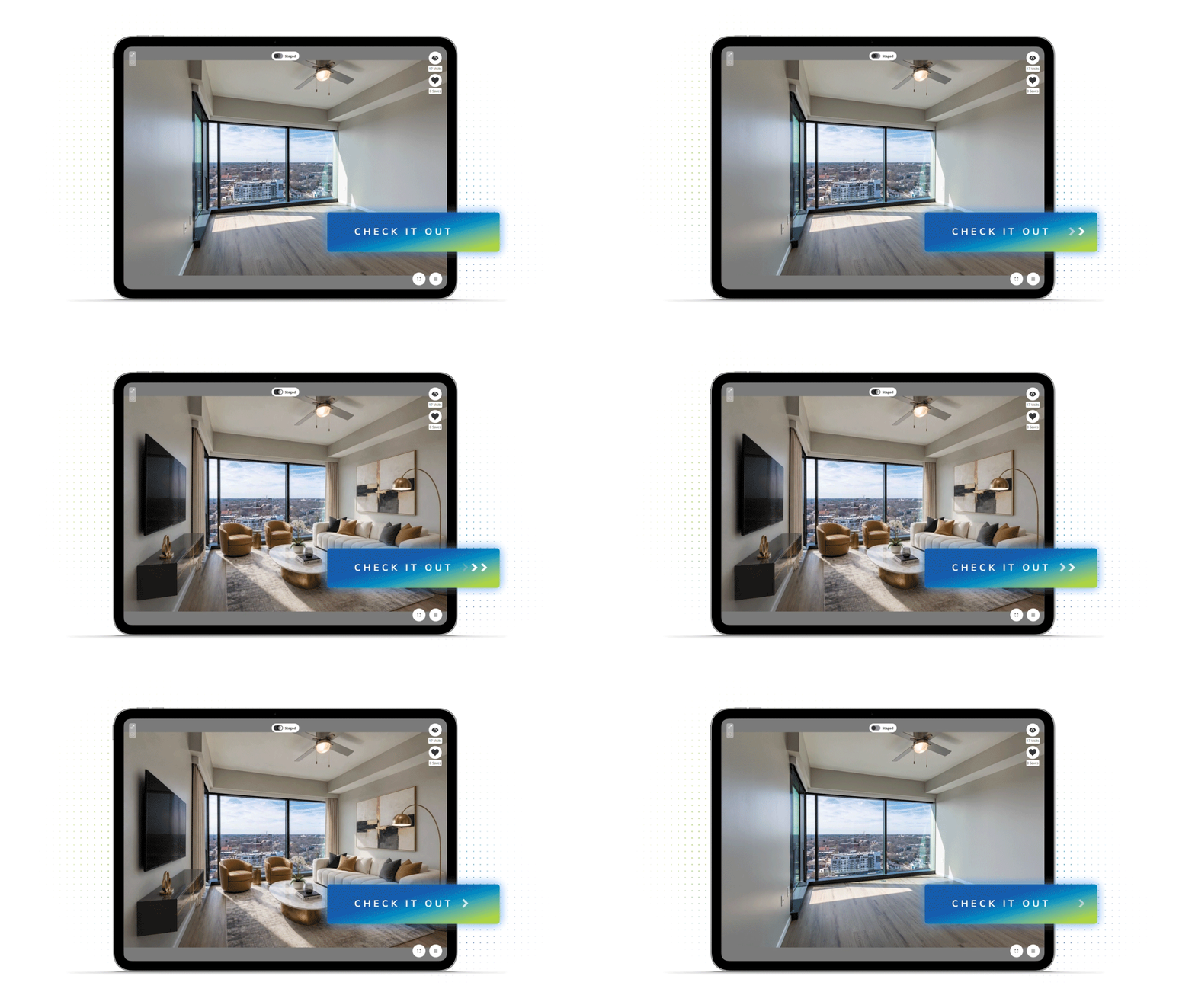
The original stays available, too. In TourBuilder, viewers can toggle between the empty and virtually staged photos. Renters can enjoy the inspiration of a furnished room while still seeing the apartment as it is.
Why virtual staging matters
Your community may offer several floor plans, finishes, and layouts, but it’s unlikely there’s a model apartment for every option. Virtual staging makes it easier to give more of those options a furnished presentation. Better still, there’s no furniture to buy, move, or store. And renters want those interior views. A 2024 RentCafe survey of 10,110 renters found that 73% prioritize interior apartment photos. In a 2026 survey of 11,320 renters, 57% said media makes them more likely to apply.
Virtual staging gives photos of empty units more context. Furniture helps renters see how a room could function, and picture how their belongings might fit in the exact layout they’re considering.
For your team, it’s a quick, and easy way to expand your furnished visuals beyond the model apartment. For renters, it’s more useful information to help them feel confident about their next home.
Virtual staging starts with your phone
You can add virtual staging right in the TourBuilder app! Take a new photo on your iPhone or choose one from your album, then follow a few guided steps.
Select Still Photo
In the app, choose Still Photo from the content options.
Take or add a photo
Tap the plus sign, then choose Take Photo or Choose from album. Start with a clear photo of a tidy, well-lit apartment.
Add virtual staging
When the app asks “Add virtual staging?” tap Yes, Stage It to continue.
Choose your style
Select a look that complements your community and confirm the photo for staging. The staged version is produced alongside the original for comparison.
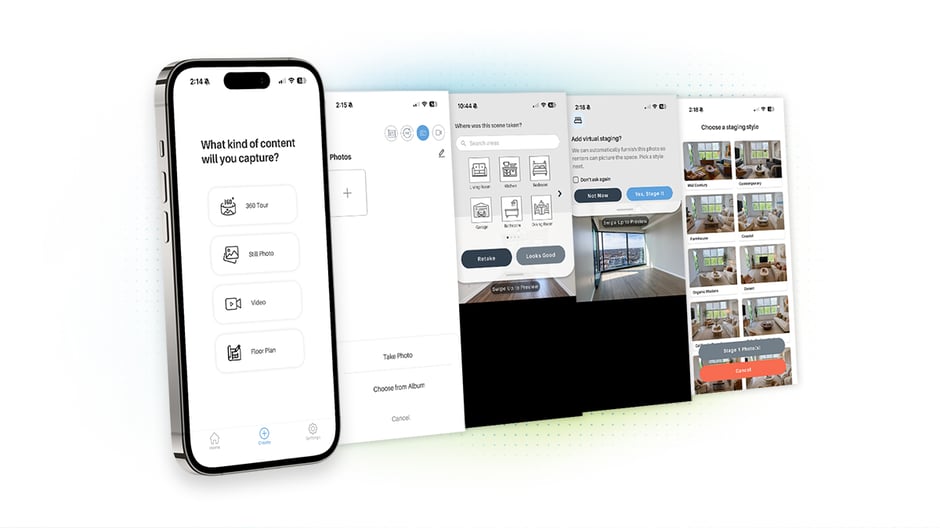 Once you publish your tour, you’ll find your virtually staged photo in TourBuilder within 48 hours.
Find a look that’s right for your community
Coastal and relaxed? Clean and contemporary? Choose a staging style that feels at home in your community.
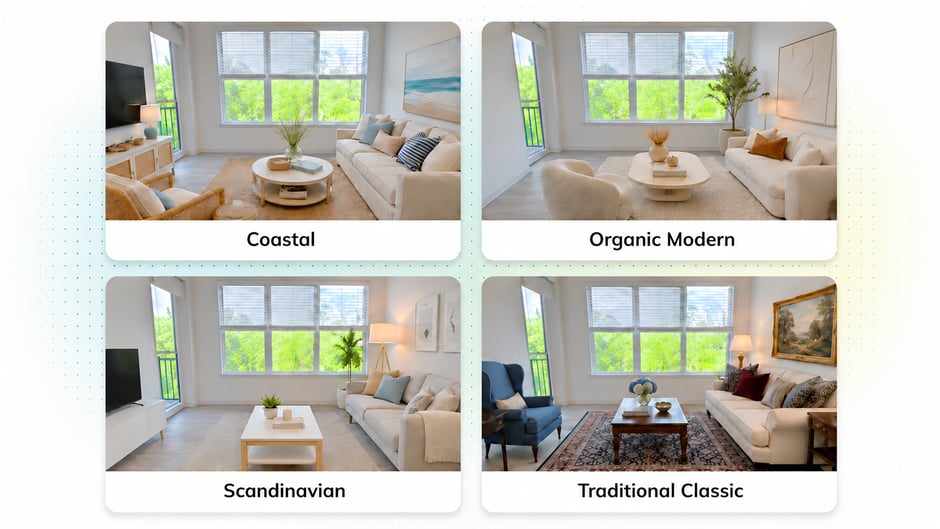
Explore looks from mid-century and contemporary to coastal, farmhouse and Scandinavian. Available staging styles may change.
Let your apartment’s finishes and your community’s branding guide your choice. Coastal may complement light finishes and an airy feel, while contemporary can suit a sleek, polished space. For a look with natural textures, compare organic modern and California casual.
The goal is to help renters picture a home that feels inviting and fits the apartment you’re showing.
Help renters picture the possibilities
Help prospects move from “Could this work?” to “I can see myself here.” With virtual staging in TourBuilder One, a photo from your phone becomes an opportunity to show the potential of the exact layout they’re considering.
It’s a quick and easy way to expand your furnished visuals. And renters get both perspectives: They can toggle between the virtually staged photo and the original to picture the possibilities.
Take a photo, then choose a style. Help renters picture their new apartment home. Explore TourBuilder One